Template guide
What the Outstanding Tiny Desk AI template actually does
Short answer: there is no official Outstanding Tiny Desk AI template. The viral format keeps the same song and five cuts, but replacing a person in the performance takes AI video, not a standard editing template. Tiny Desk AI makes that 19-second video from one to five photos.
Updated
What is the Outstanding Tiny Desk AI template?
People searching for an Outstanding Tiny Desk AI template, a Tiny Desk CapCut template or a template link have usually seen a post like the one here: college football coaches recast as Charlie Wilson’s band, singing The Gap Band’s “Outstanding.” Every remix has the same 19 seconds, the same five cuts and the same song, so it looks like a template.
The fixed part (song, cuts, timing) can be templated. The part that makes it funny, a new person singing and grinning on the beat, is generated by AI video. That is why the “template” people want is really a photo-to-video tool such as the Tiny Desk AI video generator, which works in the browser with no app or CapCut download. The backstory is in the Outstanding Tiny Desk meme, explained.
What is in the video, shot by shot?
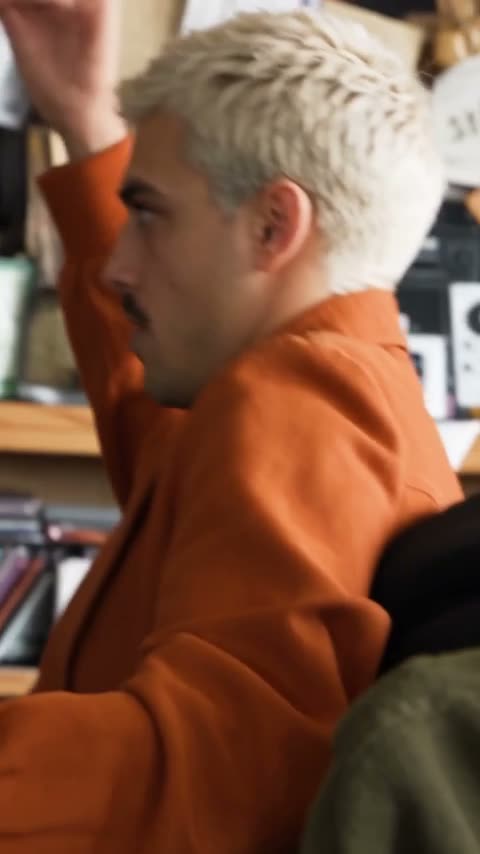 0:00
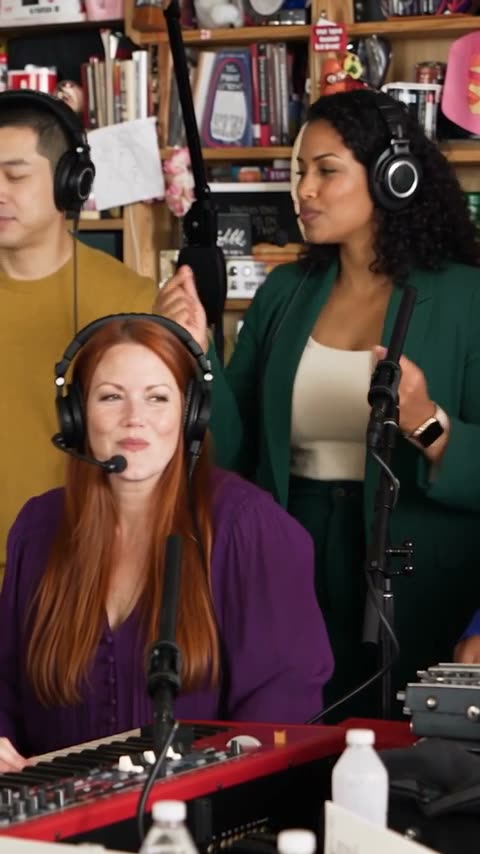 0:01
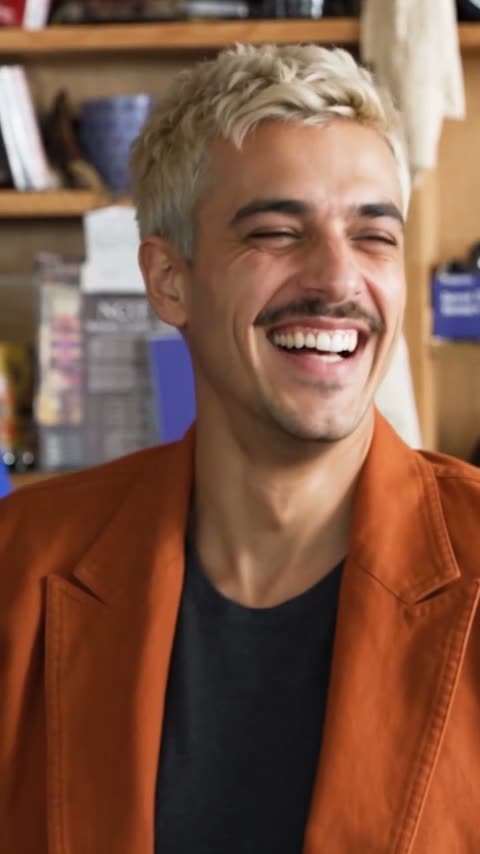 0:07
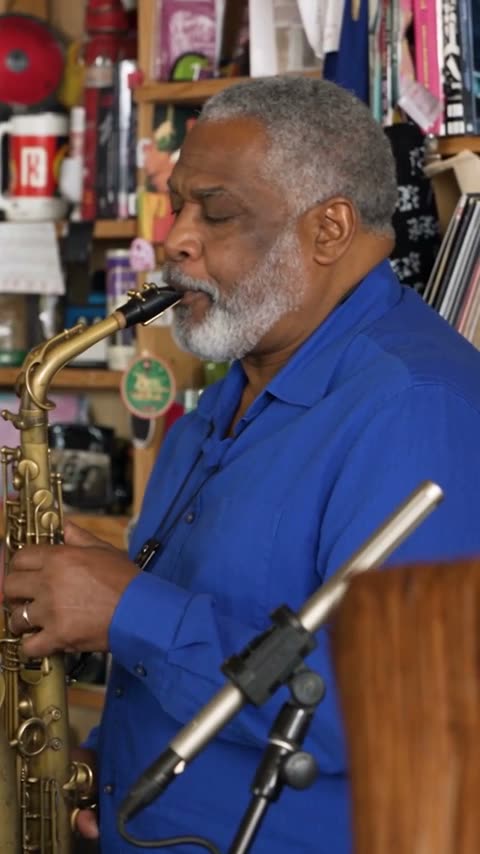 0:13
 0:16
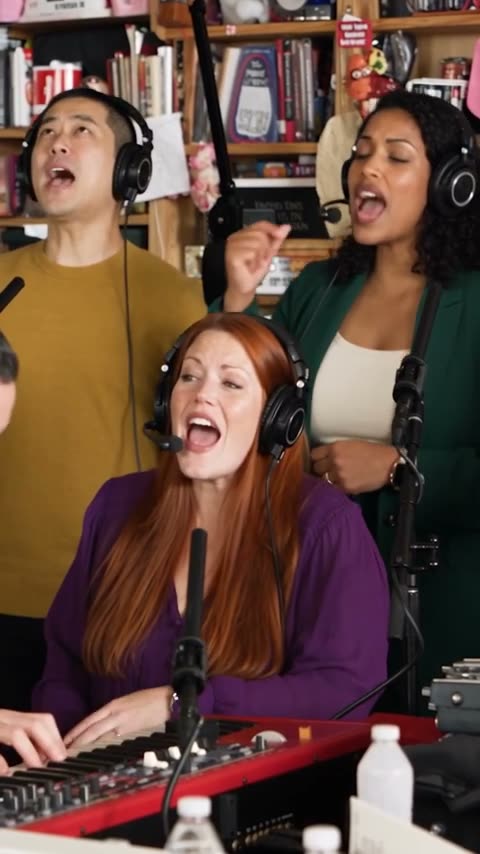
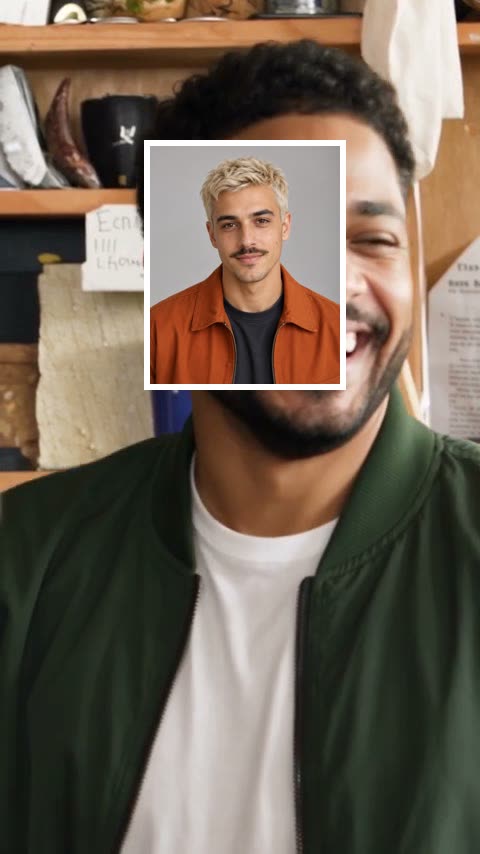
These stills come from a real five-person Tiny Desk AI result made from synthetic photos. Shot boundaries fall at 1.4, 6.7, 13.0 and 16.4 seconds. The lead owns nearly 8 of the 19 seconds, which is why the lead photo matters most.
Nobody appears in all five shots. Keys and the two backing singers share shots 2 and 5, and sax gets shot 4 alone. A template that only swaps the lead leaves the original band in three of the five shots.
Can a CapCut template put my face in it?
| What you want | CapCut-style template | Tiny Desk AI |
|---|---|---|
| Same five cuts and timing | Yes | Yes |
| The original song | Yes, subject to the app’s music rules | Yes, plus a version without sound |
| New face in the close-ups | Only as a still overlay | Rendered into the performance |
| Mouth and head move with the song | No | Yes |
| Friends on keys, sax and backing vocals | No, the original band stays | Up to four friends |
| Editing timeline | You line it up | None: upload, confirm, download |
| Cost | Usually free | $9.90 for 1–5 people |
Which seats can I fill?
| Seat | Photo | On screen | Who people usually cast |
|---|---|---|---|
| Lead | Required | Shots 1 and 3 | The person the joke is about |
| Keys | Optional | Shots 2 and 5 | A teammate or best friend |
| Back-left | Optional | Shots 2 and 5 | The rest of the group |
| Back-right | Optional | Shots 2 and 5 | The rest of the group |
| Sax | Optional | Shot 4 | Whoever deserves a solo |
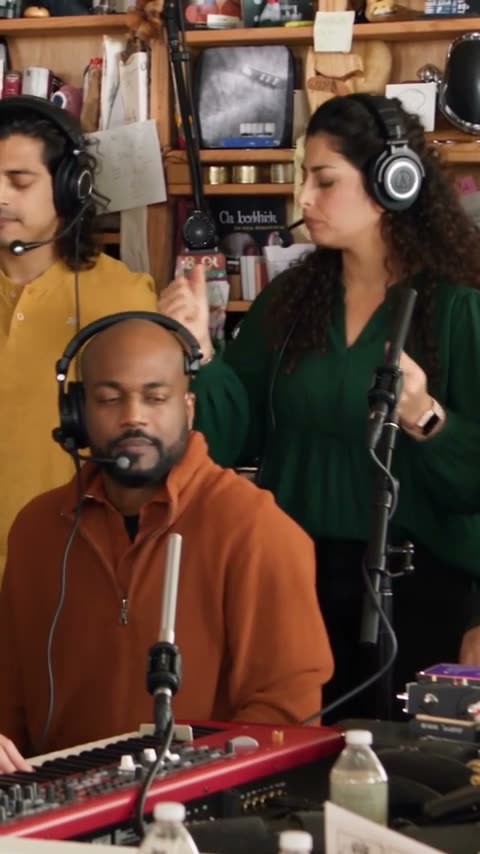
Same shot, two real results. With one photo you sing lead and the band stays fictional; with five, every seat is someone you know. The five-person guide shows each combination and its price.
The face in each photo matters more than anything else. A sharp, front-facing photo of one person gives the most recognizable result; check the photo requirements before you upload.
Is there a template link?
No. NPR, CapCut and TikTok have not released an Outstanding Tiny Desk template, and no single link reproduces the AI version. Because the search is popular, some pages promise a free “template link” and then ask you to install an app or sign in. Never enter an account password to get a template.
If a page claims a template alone puts your face into the performance, compare it against the shot-by-shot stills above: the face should move, laugh and wave in shot 3, and the band seats should change in shots 2 and 5.
How do I make it without a template?
- Add the lead photoOpen the studio and put the main person on lead.
- Add friends to any seat (optional)Keys, sax, back-left or back-right, at no extra cost.
- Confirm and press the buttonTick the permission box and press “Make my Tiny Desk video.” Nothing starts until you do.
- Wait about 10–15 minutesIt renders in the background. You can leave the page.
- DownloadPrivate MP4 with sound and without sound, kept in your account for 30 days.
The full walk-through is in the step-by-step tutorial. One-time packs are on the pricing page.
Only cast adults who said yes. Do not use the video to mislead anyone or to advertise.
Can I still use CapCut afterwards?
Yes, and it works well for captions. Download the version without sound if you plan to attach the trending “Outstanding” sound inside TikTok, import the MP4 into CapCut, and add a caption that sets up the joke, such as “When the coach says we played outstanding.”
TikTok, Instagram and YouTube ask creators to label realistic AI content, so turn on the AI-generated label when you post.
Questions people ask
Is there an Outstanding Tiny Desk AI template link?
There is no official template or template link. Replacing a person in the performance takes AI video, which a CapCut timeline cannot do on its own. Tiny Desk AI does not offer a template download either: you upload photos and it renders a new video.
Can a CapCut template put my face in the Outstanding Tiny Desk video?
Not convincingly. A template can line up the cuts, captions and song, but it can only paste a still photo over the clip. It cannot make a new person sing, move and grin in time with the performance.
Is the Outstanding Tiny Desk AI template free?
Templates are usually free but cannot recast the singer. On Tiny Desk AI a video costs $9.90 for 1–5 people, the same price for all five seats. A render that fails returns everything reserved for it.
Can I edit the Tiny Desk AI video after downloading it?
Yes. You get a 19-second 9:16 MP4 with the original song and a version without sound, so you can add captions, stickers or your own audio in CapCut or any editor.
Do I need five photos for the template?
No. Only the lead photo is required. Any seat you leave empty keeps a fictional AI musician.
How long does the Tiny Desk AI version take?
Usually about 10–15 minutes from pressing the button to a downloadable video. One lead-only test order on the live site (30 October 2026) took 9 minutes 36 seconds.
More guides
- How to make an Outstanding Tiny Desk AI videoPick the lead and band, choose photos that work, then check and download the finished video.
- The Outstanding Tiny Desk meme, explainedWhere Charlie Wilson’s clip and The Gap Band’s song come from, and why the AI version spread.
- Tiny Desk AI photo requirementsWhich photos give a recognizable result for the lead and each band seat, and which ones to skip.
- How to make a five-person Tiny Desk AI videoThe five seats, which shots each one appears in, and what one to five people cost.
- Tiny Desk AI free previewWhat you can see free with no sign-up, what the full video adds, and how to try it.
- What is Tiny Desk AI?What the tool does, what you get, who it is for and what it will not do.
- Tiny Desk AI app or CapCut?There is no app to install. How to make the video in your phone browser.
- NFL fan Tiny Desk AIPut your tailgate crew or fantasy league in the band. No players or coaches.
- Tiny Desk AI generators comparedPrice, length, resolution, free preview and refunds of four sites, side by side.
- Tiny Desk AI video generatorUpload your photos and make the video.
Your turn.
Choose the lead, add up to four friends, and get a private 19-second video with the original song.
Tiny Desk AI is an independent parody tool, not affiliated with or endorsed by NPR, Tiny Desk, Charlie Wilson or The Gap Band. “Tiny Desk” is a trademark of NPR.